Personal finance, no bank login

Capture,
don’t connect.

Spend normally. Spendkin keeps up. Build a private financial history from receipts, payment evidence, and entries you choose to add. Spendkin processes captures on your iPhone, helps reconcile duplicates, and encrypts your record before sync.

Get the app
No bank credentialsPrivate by designMade for iPhone
Spendkin Money history on iPhone, shown with sample transactions
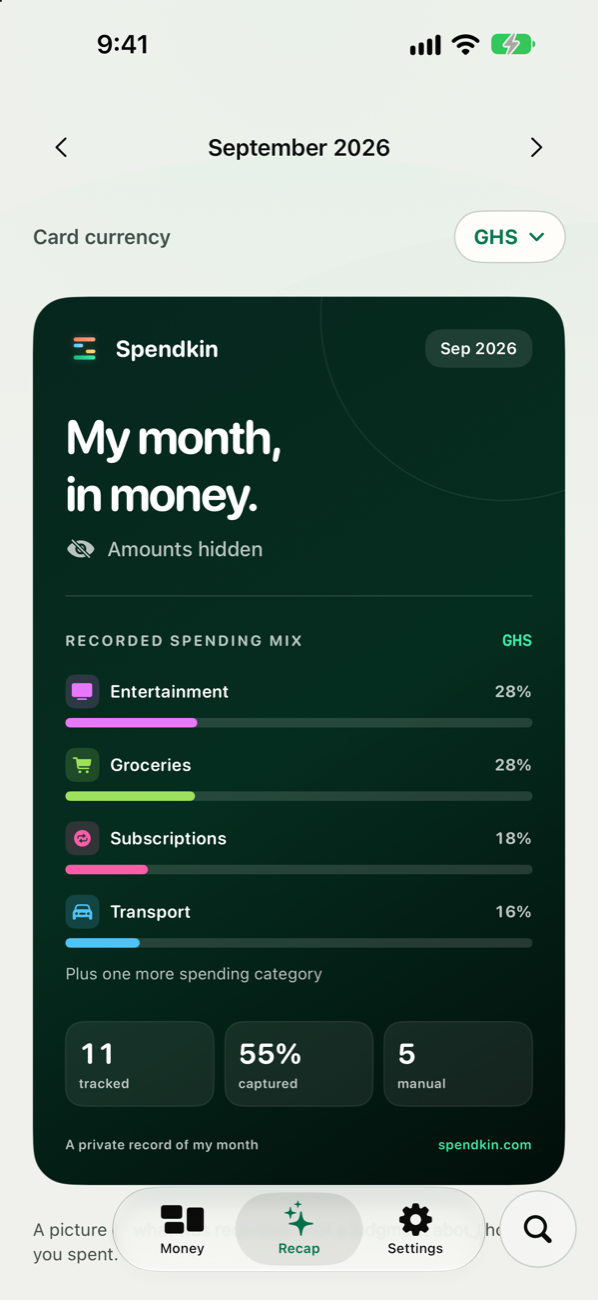
Spendkin monthly Recap in light mode on iPhone, shown with sample data

Your money,
wherever it tells you

Your payments leave clues: alerts, receipts, and records you enter yourself. Spendkin helps turn useful evidence into a money history you can review.

No bank login Banks & payment apps Many currencies On-device OCR Local parsing Multi-currency Offline-first Share into the app Readable export End-to-end encrypted

Capture you control

Scan a receipt with your iPhone camera, choose a photo, share payment text or an image from another app, or add a transaction manually. OCR and parsing run on your device. On supported iOS versions, a Shortcuts Notification automation you configure can pass alerts from a selected app. We are still testing this option on iPhone; Spendkin does not directly read your notifications.
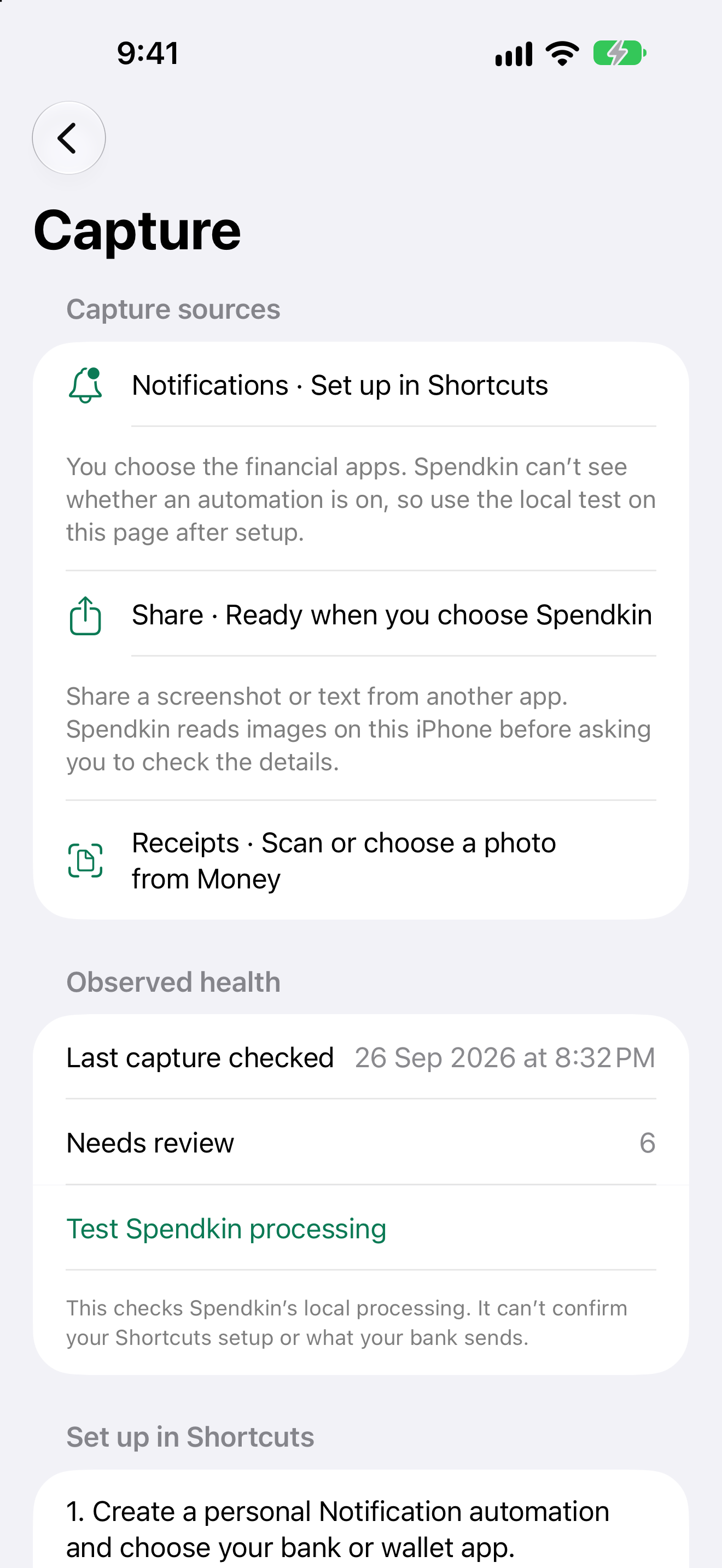
Spendkin Capture Setup in light mode, showing user-controlled sources and local test status

Bring in what matters

Use the Share menu for payment text or an image. Or start in Spendkin with Scan receipt, Choose photo, or manual entry. Spendkin checks the evidence locally and holds uncertain details for your Review.
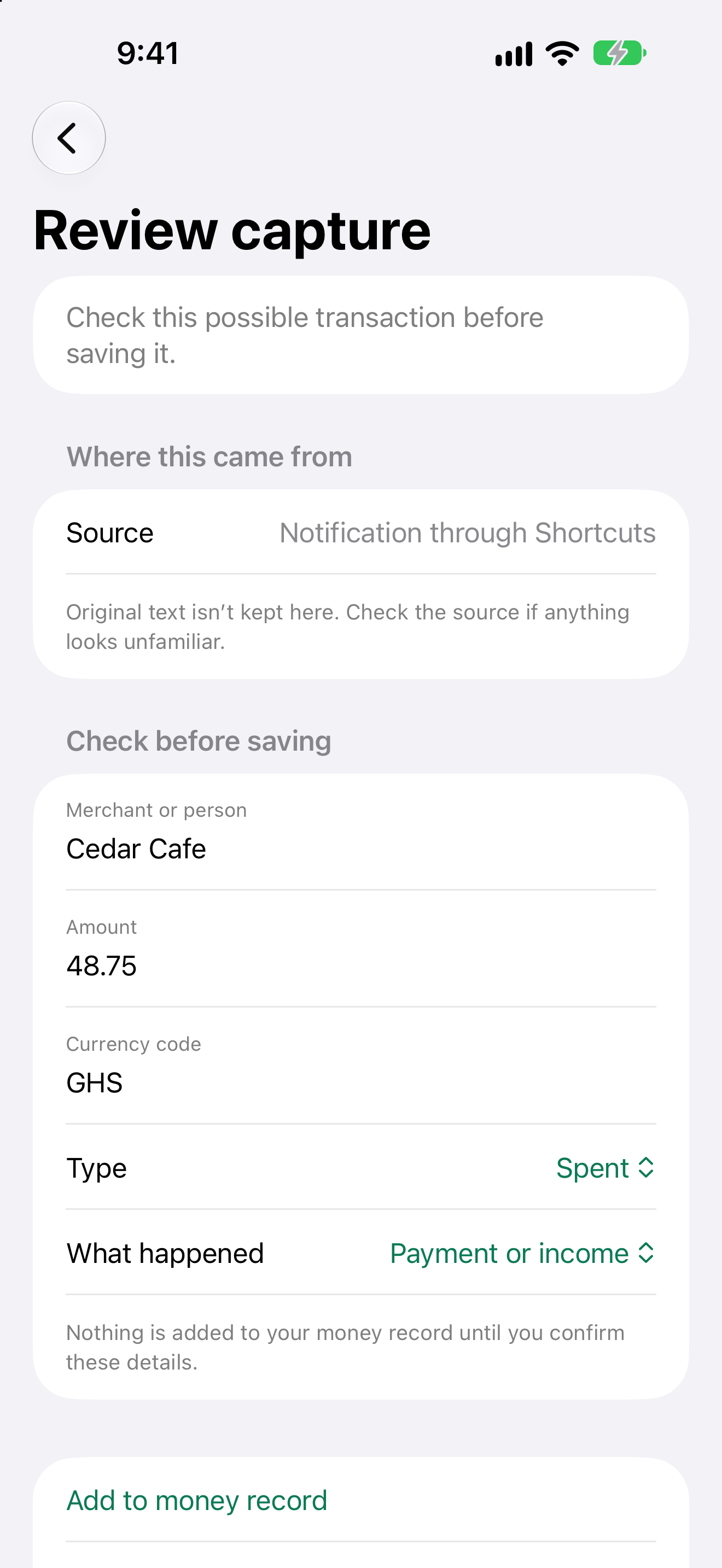
Spendkin Review in light mode, asking the user to check an uncertain sample capture before saving

Scan it. Check it. Keep it.

Camera and Photos open the same receipt workspace. On-device OCR extracts text you can correct before saving. The raw image is not synced or kept as a receipt archive.
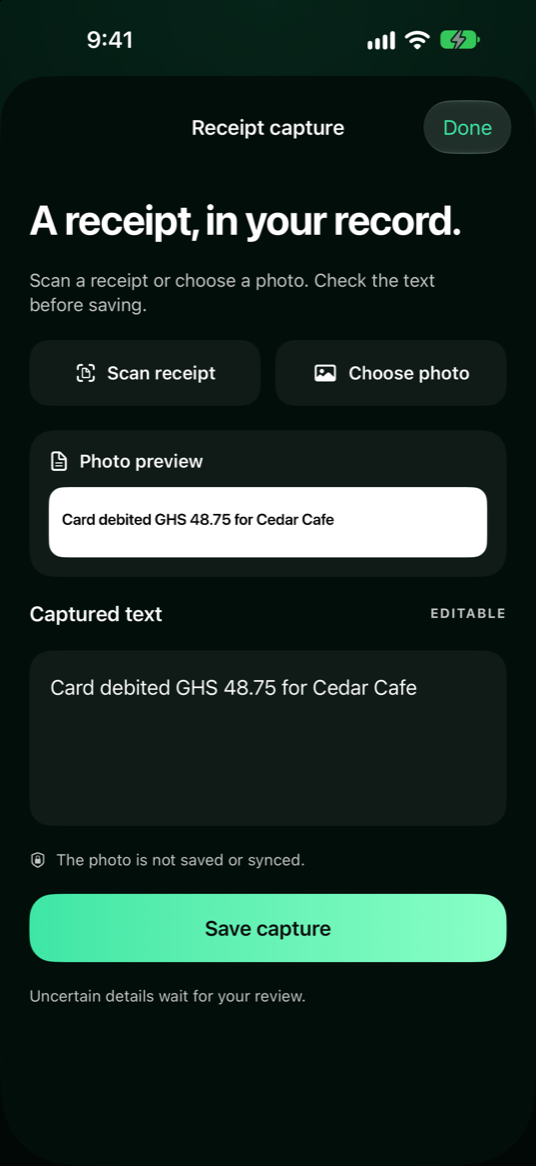
Spendkin receipt capture with photo preview and editable OCR text

One purchase, one record

An alert and a screenshot can describe the same purchase. Spendkin reconciles supported evidence locally into one transaction, keeps its sources, and sends uncertain details to a quick Review rather than guessing.
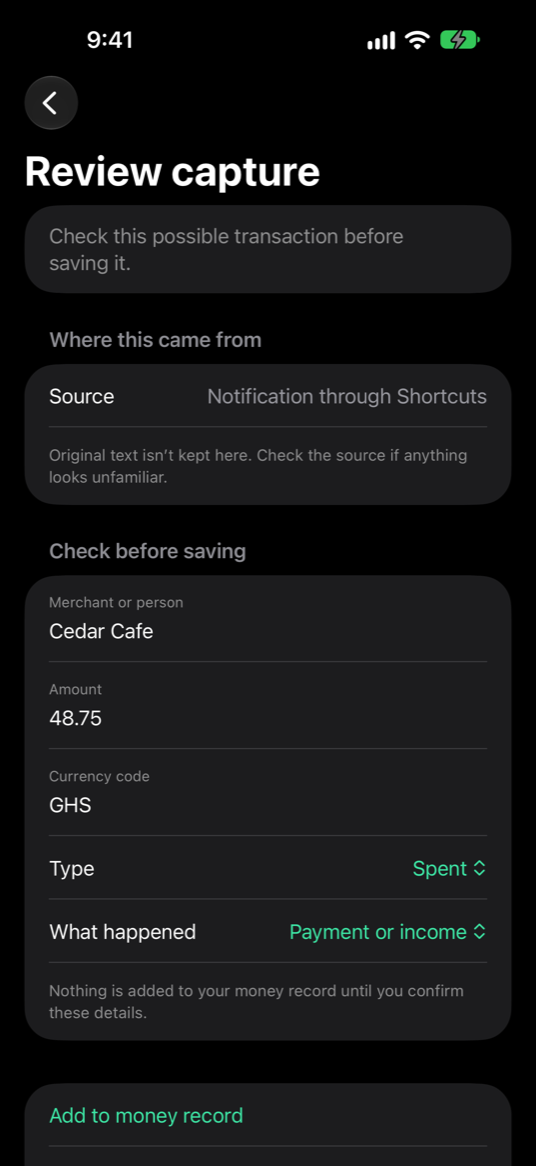
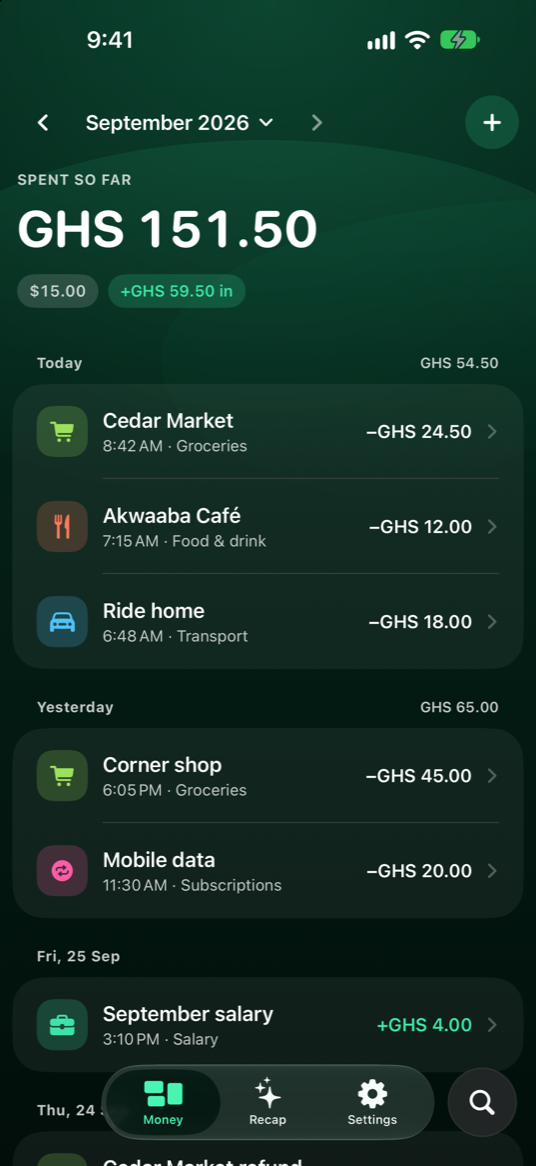
Spendkin Capture Review with a sample uncertain payment Spendkin Money history with category-colored transactions

Your month, recapped.

See a useful summary of the month from your local ledger, with currencies kept separate. Share a privacy-safe version when you choose.
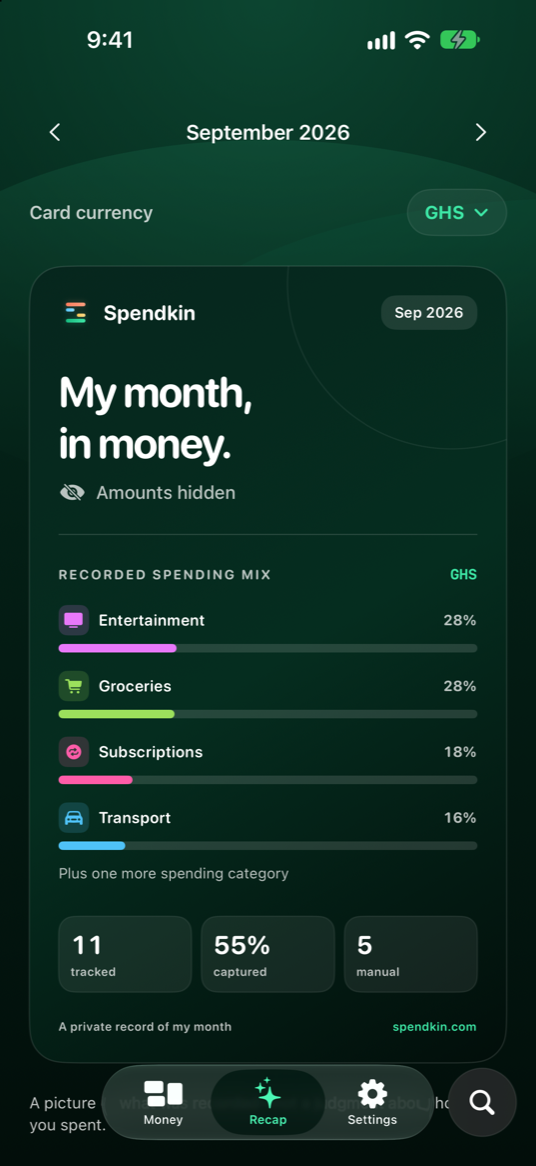
Spendkin monthly Recap with amounts hidden

Made for how you actually pay

Card in one country, mobile money in another, cash in between — Spendkin doesn’t care how your money moves, only that you can see it.

Everyday spenders

See where the month went while it’s still the month — not in a statement three weeks later.

Freelancers & side-hustlers

Keep money in and money out in one record, with uncertain captures ready for a quick check.

Multi-currency lives

Paid in dollars, spend in cedis, subscribe in pounds — every amount stays in its own currency.

Privacy-first people

No bank credentials to share. Capture is processed locally, and your financial record is encrypted before sync.

Mobile-money users

Add wallet payment evidence when available; unclear formats are held for Review.

Cash-heavy spenders

Manual entry and receipt scanning help keep cash spending in the picture too.

Simple pricing,
when Plus arrives.

Our earlier Plus prices are a plan, not an offer you can buy today.

Planned Spendkin Plus
US$4.99
per month · planned

We previously planned US$39.99 per year. Final pricing, availability, and what Plus includes will be confirmed before any purchase is offered.

  • Private, multi-currency financial history
  • Camera, Photos, Share, and manual capture
  • Review and reconciliation
  • Monthly recap and local readable export
  • Encrypted sync and account controls
Get the app

These are app capabilities, not promised Plus-only benefits. The iPhone app is coming soon; paid plans are not available yet.

Fair questions

How Spendkin handles your financial evidence.

Do you connect to my bank?+
No. Spendkin does not ask for your bank credentials or connect to your account. It works with payment evidence you choose to add or configure.
Which banks, apps, and countries work?+
There is no guarantee that every bank, app, or country works automatically. Results depend on the evidence available and its wording. You can add a transaction manually; uncertain captures wait for Review.
What exactly can Spendkin read?+
The iPhone app processes content you share, scan, choose, or enter. On supported iOS versions, a Notification automation you configure in Shortcuts may pass the selected app’s notification body to Spendkin. Spendkin has no direct access to other apps’ notification streams. We are still testing this option on iPhone, so it is not yet a supported capture option.
Can I send things to Spendkin myself?+
Yes — share text or an image from another app, scan a receipt, choose a photo, or add a transaction manually. Spendkin checks for duplicates and asks you to confirm uncertain details.
Do my receipts get uploaded?+
Spendkin reads images with on-device OCR. Raw image and extracted text are not sent to Spendkin’s server for parsing.
What happens to the raw messages?+
Capture text is processed locally, not by a server-side AI parser. The normalized financial record is encrypted before sync. Local capture evidence follows the app’s protected-storage and deletion controls.
Can Spendkin read my transaction history?+
No. Financial records are encrypted on your device before sync. Spendkin’s server stores ciphertext, not a readable ledger. Save your recovery kit; if your available recovery methods are lost, we cannot decrypt your record.
What will Spendkin cost?+
Plus was previously planned at US$4.99 per month or US$39.99 per year. Those are indicative prices, not a current purchase offer. We’ll confirm final pricing and included features before paid plans become available.
Can I pause capture?+
You control what you share. A Shortcuts automation, if you set one up, can be paused or removed in Shortcuts. Manual entry remains available.
Can I take my data and leave?+
Yes. Export a readable CSV locally from Settings, then delete your account in-app if you choose. Deletion ends access immediately; server-held account data becomes eligible for permanent purge after the 72-hour grace period and is removed by the next successful retention run.

Spend normally.
Spendkin keeps up.

No bank login. Your money stays yours.

iPhone app — coming soon